Study & learning
Turn an exam, course or reading goal into focused sessions and review tasks.
 Mission
Mission is an iPhone goal tracker and habit planner that turns big goals into clear daily tasks, visible progress, steady streaks and the people who keep you moving.
Coming soon to the App Store.
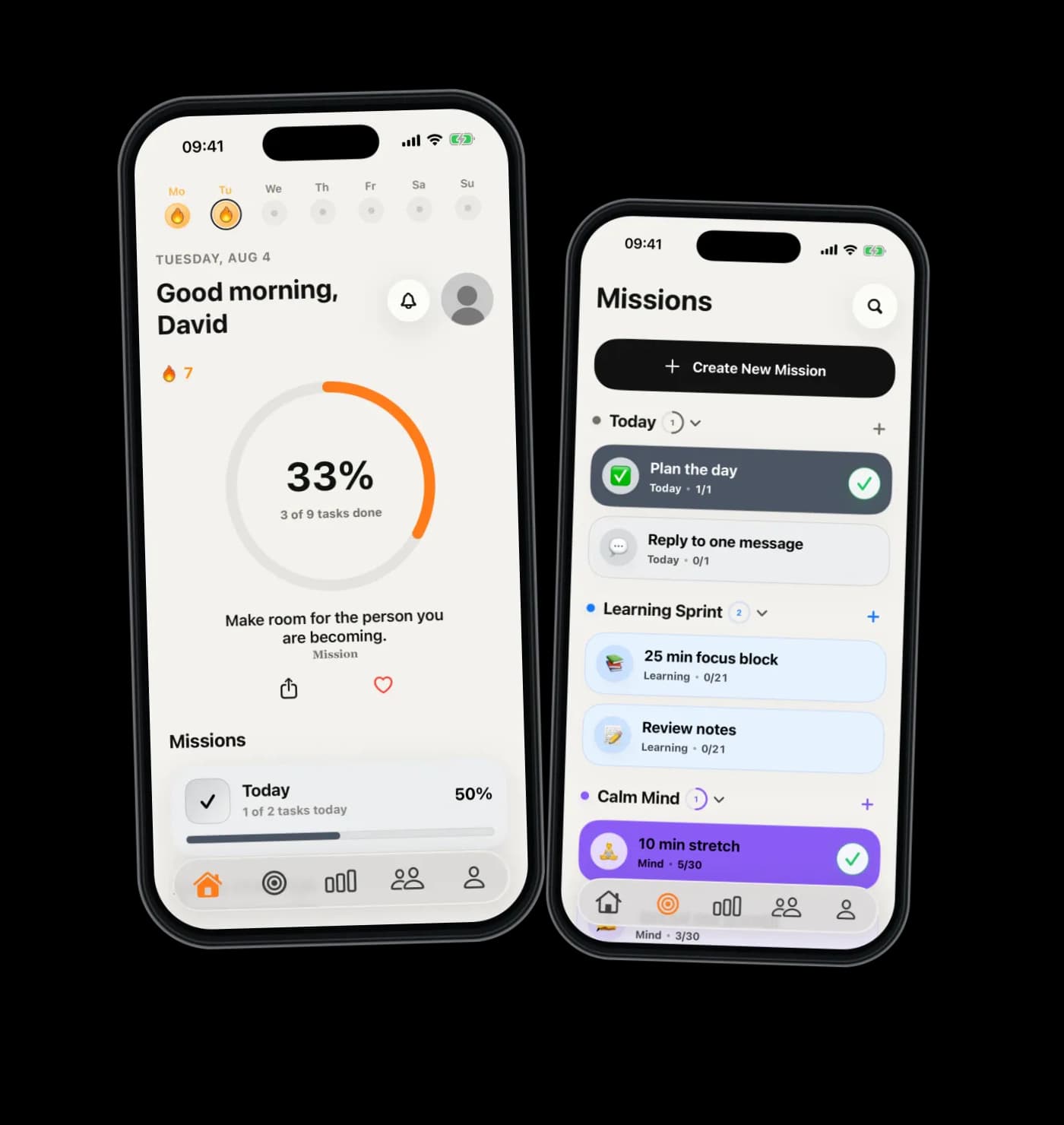
Start with the mission that actually matters right now.
Break it into the few tasks that prove today is moving.
Let streaks, friends and quotes bring you back tomorrow.
Mission combines an iPhone goal tracker, habit planner and daily task planner without turning personal progress into project-management overhead. Build a Mission, connect the tasks that move it forward, and keep one-off actions in Today.
Use it privately, or add friends and shared challenges when accountability helps. Real task activity powers progress and streak history, while reminders, Home Screen widgets, Light Mode and Dark Mode keep the plan useful throughout the day.
Turn an exam, course or reading goal into focused sessions and review tasks.
Keep workouts, walks, recovery and everyday health habits connected to a bigger reason.
Build quiet routines for reflection, consistency and the person you want to become.
Make writing, drawing, music or another practice visible one small session at a time.
Mission is localized for English, German, Spanish, French and Croatian.
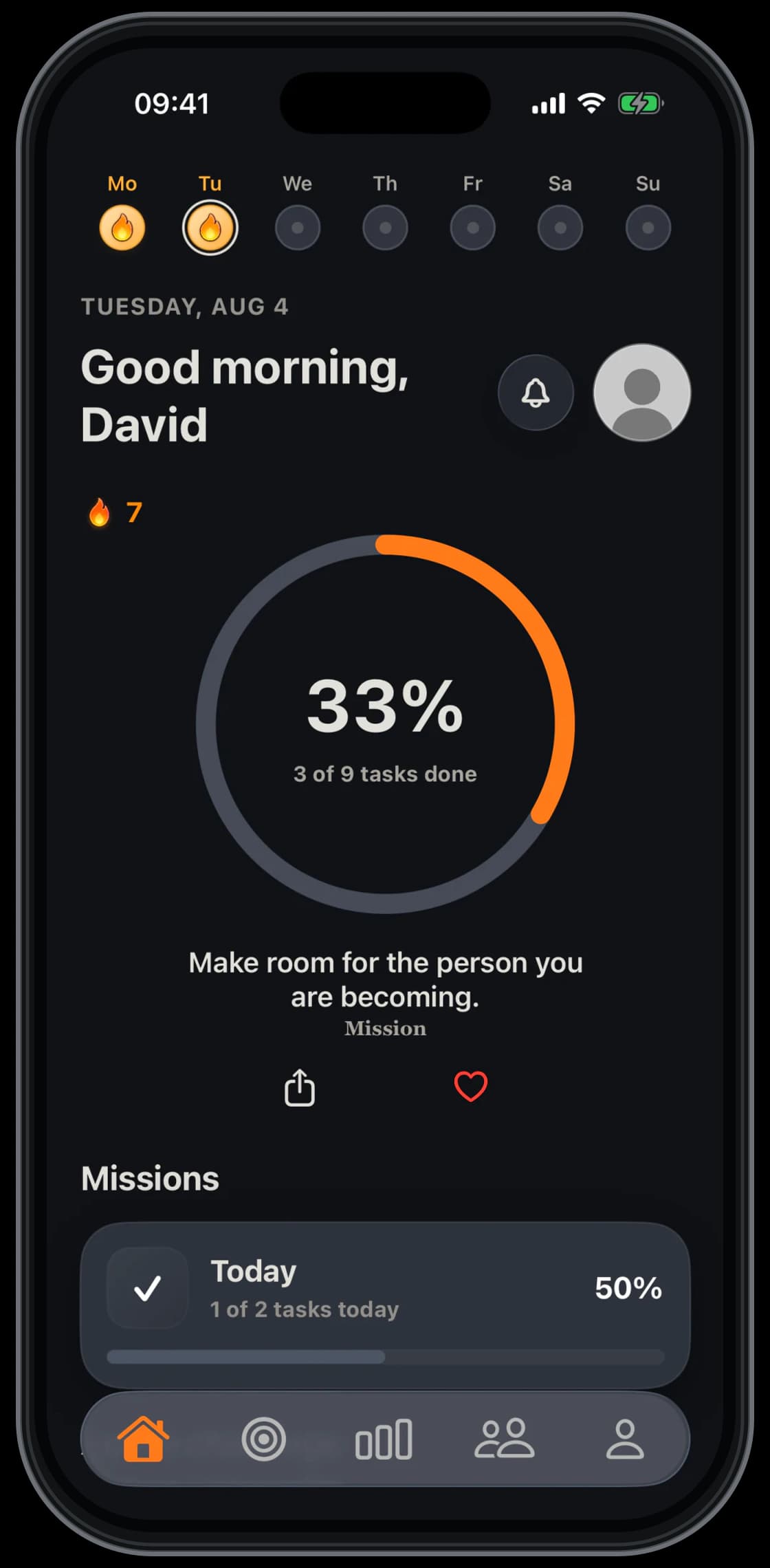
Use Mission in a bright, quiet workspace or switch to Dark Mode when the day winds down. The same daily progress stays clear in both.
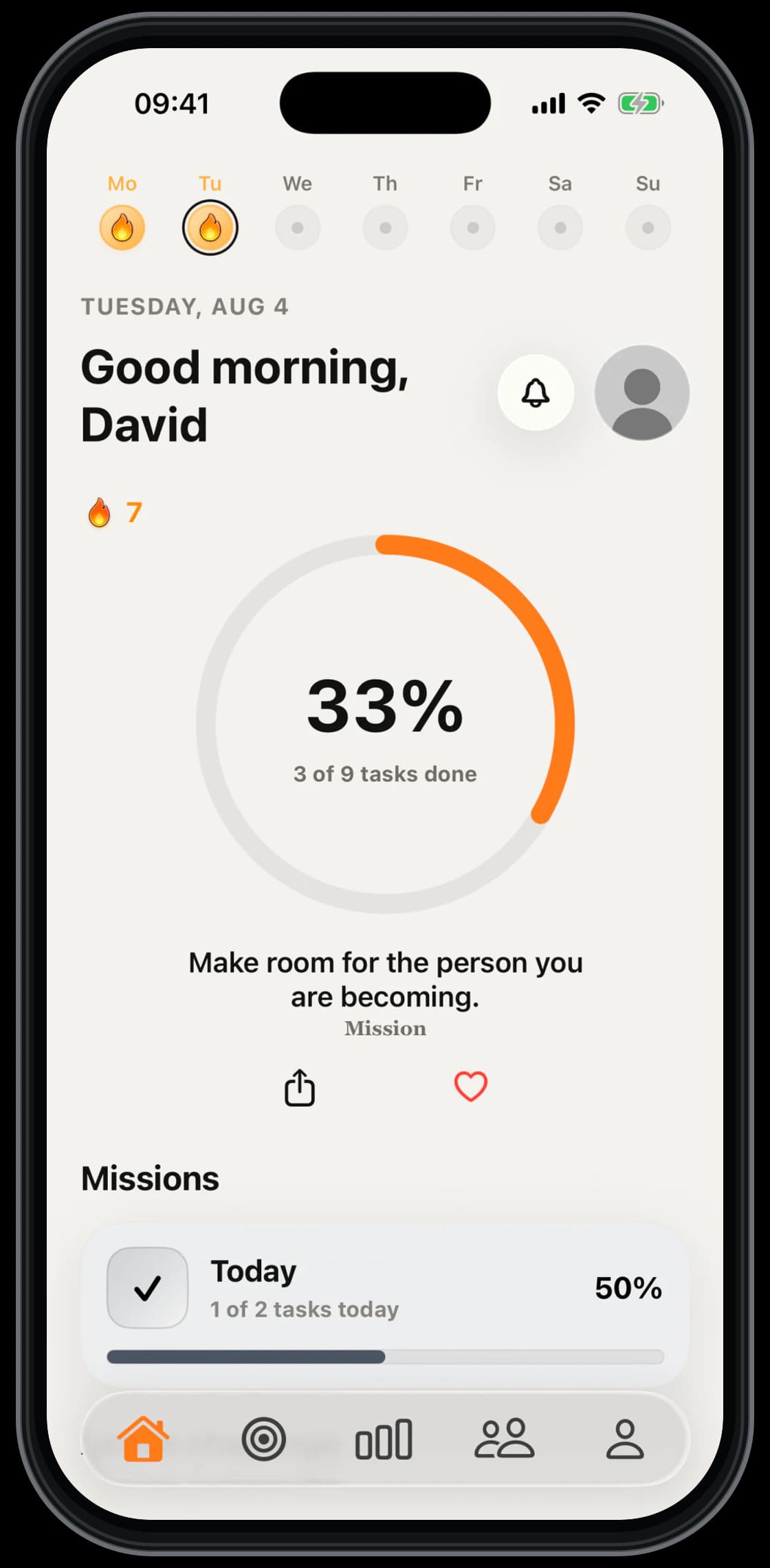
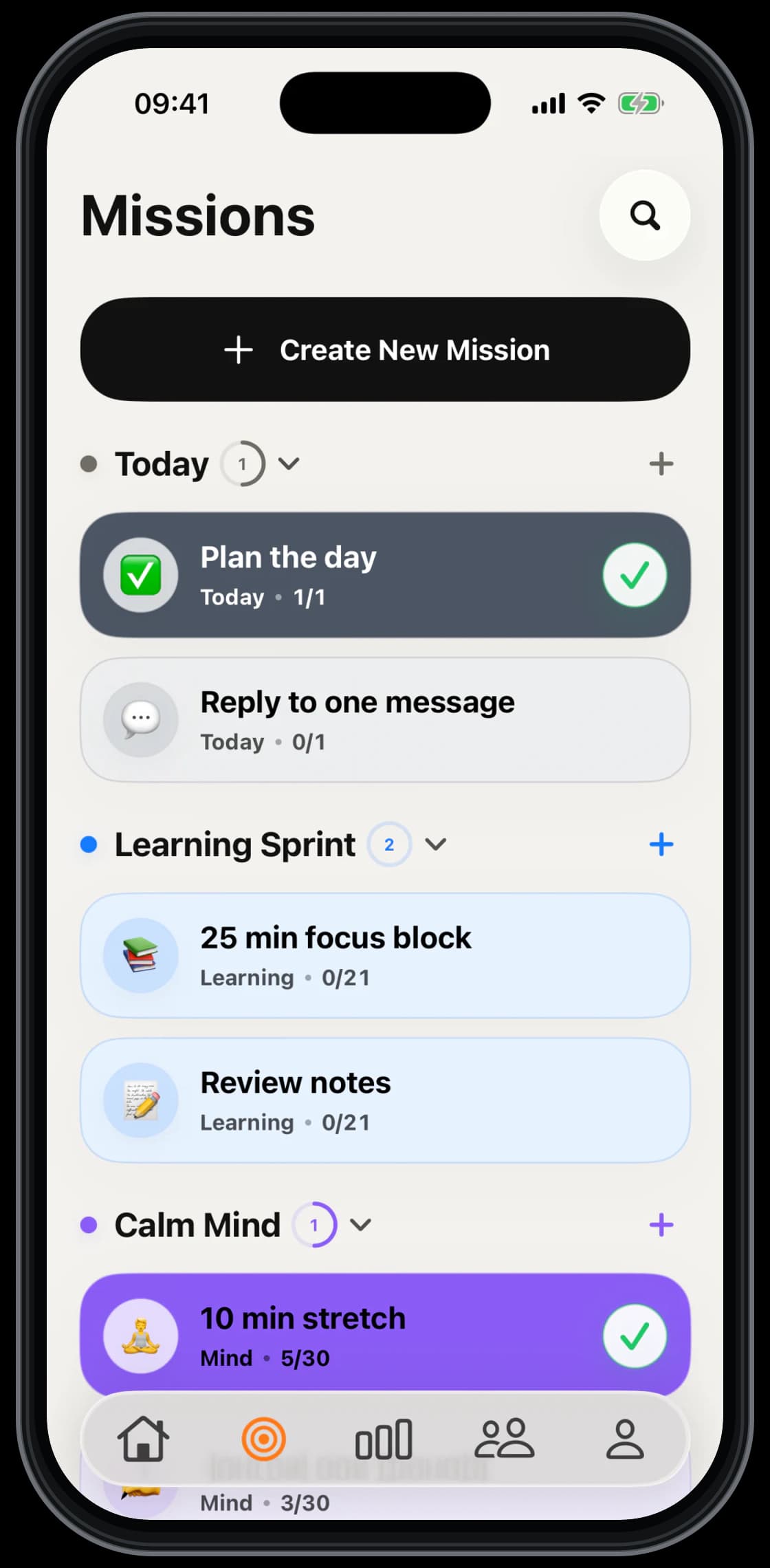
Tasks are connected to a bigger mission, so progress feels personal instead of random.
Completed and open tasks are easy to read, easy to tap and easy to come back to.
Streaks, quotes and reminders support the habit without making the app feel loud.
Friends and challenges add accountability only where it makes the mission stronger.
Mission brings those ideas together. Each Mission is a meaningful goal, its tasks are the repeatable actions that move it forward, and Today is a simple daily task planner for actions that do not need a larger goal.
Mission can organize study and learning plans, fitness and wellbeing routines, mindfulness, creative practice and personal-growth goals. It works best when a bigger intention can become a few clear actions for today.
Yes. Friends and shared challenges are optional. You can keep your missions private and still use Today tasks, progress history, streaks, reminders, widgets and quotes.
Yes. Mission includes Light Mode, Dark Mode and calm themes with curated colors designed to keep tasks, progress and text readable.
Your friend gets a simple link to join you in Mission. It opens the app when Mission is installed; an App Store fallback will appear after a verified public listing is available.
Mission is still coming soon. Subscription access is planned to be managed through the App Store; final availability, products and pricing will be confirmed for launch.
Email support@dailymission.app for help with the app, your account or subscriptions. For privacy questions, use office@dailymission.app.